
Riser cables can help make the inside of your gaming PC more visually appealing. But how do they do this, and are your components affected?


In this article, we untangle riser cables. We’ll cover what they are, why they’re useful, and we’ll even touch on PCIe generations, too!
What is a Riser Cable?
If you give ‘riser cable’ a good old Google, you’ll see it’s something of a broad term. It can be used to refer to the cables that run vertically in the walls of multistorey buildings, linking up data services like phones, internet, and more.
In a PC gaming context, however, riser cables are more precisely referred to as Peripheral Component Interconnect Express riser cables. Or, more commonly, PCIe riser cables.
PCIe riser cables are used to connect an expansion card to your motherboard, and generally use a x16 interface. The male end connects to the motherboard, while the female end, equipped with either a 90-degree or 180-degree angled connector, accommodates the expansion card. It’s the angled connectors that make riser cables great for vertically mounting GPUs. Still, you will need to have a compatible case and a sensibly positioned mounting bracket to finish the job.

If you’d like to know more about vertical GPU mounting, we have a handy guide covering everything you to need to know.

Vertical Mounting with a Riser Cable
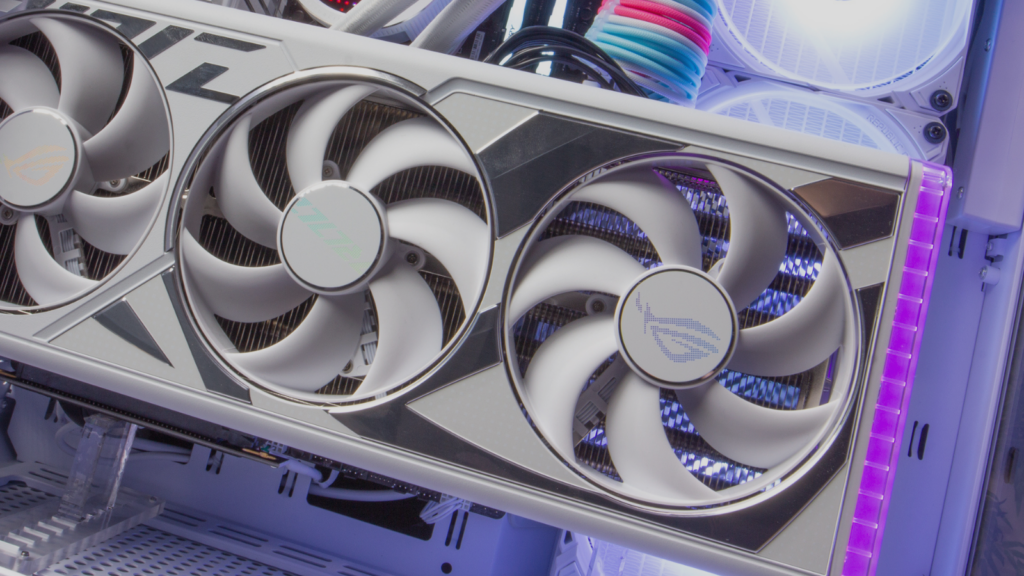
Graphics cards are traditionally installed in a horizontal position. However, there are perks to going vertical, which your riser cable is ultimately responsible for.
The advantages include:
- Avoiding GPU sag – Though smaller GPUs are pretty awesome, the latest graphics cards that pack modern hardware have gotten pretty big. And they’ll probably keep getting bigger in line with our gaming ambitions, too. This can cause GPU sagging, where the PCB can be bent out of shape. GPU sagging is obviously unsightly in the short term and may break your graphics card in the long-term. A secure bracket can solve the issue, but so too can mounting your GPU vertically.
- Improved airflow – More room between components can help facilitate airflow between them. If your case interior is looking a little crowded, moving the GPU to a vertical position may open up some airways.
- Easier Cable Management – Routing cables around a small form factor case can be a challenge. Vertically mounting your GPU is a good shout for mitigating that issue, making room for cables to run through.
- Enhanced Aesthetics – Neatly organising your cables also makes your PC interior look nicer. And, if your graphics card needs more room to shine, it can be repositioned front and centre of your build. If you’re craving a showcase gaming PC, vertically mounting your GPU is a bit of a no-brainer.
The best gaming PC builds celebrate style and substance. A vertically mounted GPU honours that motif, as do the PCIe riser cables facilitating the move.
Which Generation of PCIe Do I Need?
Technology is always going through different iterations, and PCIe motherboard slots and PCIe riser cables both have multiple generations of their own, as do GPUs. Therefore, the question of compatibility now rears its head.
PCIe Slot Generations
Available on the market today are five generations of PCIe interfaces, from PCIe 1.0 through to PCIe 5.0. Plus, it’s well known that the release of PCIe 6.0 is right around the corner for a 2026 release, with corresponding hardware like SSDs, motherboards, and expansion cards following sometime later.
Still, each version builds on the last, designed to speed up data transfer rates as you game, stream, or create content, with 4.0 and 5.0 being the top pick for gamers today.
PCIe Riser Cable Generations
There are a wide range of PCIe riser cables available on the market today, with the most common utilising PCIe Gen 3.0, 4.0, or 5.0 technology. As with PCIe slots, a more advanced PCIe cable offers improved performance over previous generations. What’s more, PCIe riser cables are backwards compatible, and maybe forwards with some jiggerypokery (more on that in a moment).
GPU PCIe support
As graphics cards have become more advanced over time, they’ve required faster interfaces for optimal performance. This can easily be seen in the generation of PCIe interface they use, which is listed in their specs. For example, the NVIDIA Gainward GeForce RTX 5070 Ti is noted to have support for PCIe 5.0. These cards work with previous generations of PCIe, while older cards will work with 5.0 risers without the benefit of enhanced speed.
Compatibility Measures
To guarantee optimal compatibility, you’ll want to ensure that the generation of your PCIe slot, riser cable, and expansion card all match. With this trifecta, you can enjoy rapid gameplay and silky-smooth performance.
Don’t worry if you don’t have the latest and greatest hardware, or if doesn’t all belong to the same generation. You can still enjoy excellent results whilst gaming or creating. When there is an inconsistency, your BIOS settings will automatically adjust to compensate for the oldest component.
Hoping to Mount Your GPU Vertically?
If your heart’s set on vertically mounting your GPU, we’ve got the goods to help you. We have PCIe riser cables and mounting brackets aplenty to get you started.

Kolink PCI-E Gen 5.0 Riser Cable 180 Degrees – 300mm Black
CAS-KLK-01405
£54.95 £ 29.99
-45.42%(incl. VAT)
FREE SHIPPING
in stock
ADD TO BASKET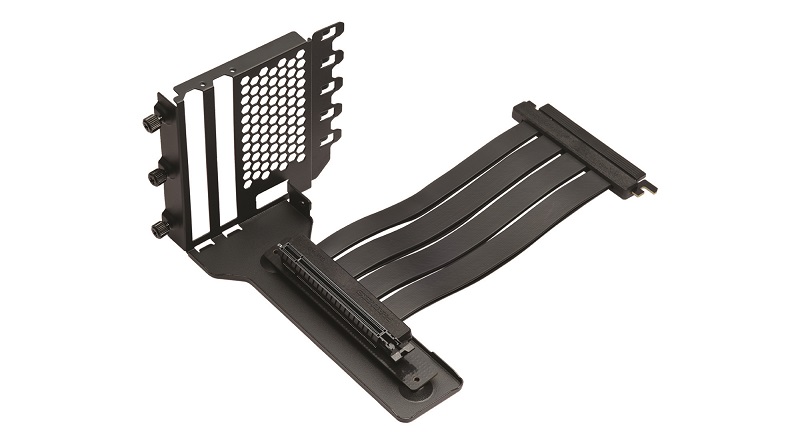
Phanteks Vertical GPU Mounting Bracket With PCIe 4.0 Riser Cable
CA-0B3-PT
£64.99
(incl. VAT)
FREE SHIPPING
in stock
ADD TO BASKET
Phanteks PCIe Gen5 Vertical GPU Bracket DRGB 220mm PCIe 5.0×16 Riser Cable Black
ACC-PHK-06264
£69.95
(incl. VAT)
FREE SHIPPING
in stock
ADD TO BASKETMore PCIe Goodness

What Riser Cables Will You Use?
Ready to vertically mount your GPU? What generations of tech will you be working with? Tell us all about your set-up in the comments.
- 6 min read


George Moss
Author
George has long enjoyed writing and PC gaming, so working for Overclockers is very exciting! When he's not at the computer, he can be found adventuring with his apricot cockapoo, reading books on seabirds, or being a liability for his Dungeons and Dragons party.
Read More >>