Wireless Networking
- WiFi 7 Standard – WiFi 7 (802.11be) dual-band range extender boosts speeds up to 3600 Mbps, with 4096-QAM increasing a single band’s speed by 1.2×.
- Multi-link Operation – Link to multiple bands simultaneously for stable internet connections and efficient data transfers.
- Works Perfectly with Any WiFi Router — RP-BE58 expands coverage and is compatible with virtually all WiFi routers, modems, and cable routers.
- Extend Seamless AiMesh WiFi Systems – Supports AiMesh for stable, seamless, and secure wireless connections throughout your home.
- Easy Setup with Mobile App – Use the ASUS Router app or ASUS Extender app to set up RP-BE58 in just a few taps.
- Compact Sized WiFi 7 USB Adapter - Experience super-fast WiFi in a sleek, nano-sized package
- Upgrade Your WiFi to the Latest Standard - Transform your PC to the cutting-edge 802.11be standard with a simple USB connection
- Plug and Play - Ensure seamless installation without extra drivers, delivering reliable, uninterrupted performance perfect for home, office, or on-the-go use, with optimizations over previous generations
- Ideal for Streaming - Support for tri-band, including 6GHz* frequency spectrum, automatically selects the best band for stable connections and superior performance
- Advanced Network Security - Benefit from enhanced network security and robust authentication with WPA3 support
- USB 3.0 interface for up to 10X-faster data-transfer speeds
- Dual detachable high-gain antenna supports up to 10x signal coverage
- Bundled USB extension cable for flexible placement to pinpoint best reception
- Advanced Security - 64/128-bit WEP, WPA, WPA2 WPA3 encryption standards
- EZ WPS - Wi-Fi configuration setting in just 2 steps with WPS hardware push button
- ASUS WiFi 6E total solution - optimized capabilities and performance
- All-new 6 GHz band - Less congestion and interference for WiFi connections
- Latest Bluetooth® 5.2 - improved signal range, faster transmit speeds and less interference
- Ultrafast WiFi 6 & WiFi 6E – 4.6X faster speeds, improved connection efficiency and better network security
- Reduced dead zones with external antennas - Adjustable antennas allows easy positioning for the best reception
Wireless Networking
Level up your home network with Overclockers UK’s extensive selection of wireless networking hardware. Whether you're upgrading your home network for smoother streaming and gaming or enhancing your office setup for increased productivity, we have everything you need. From high-performance Wi-Fi adapters that deliver lightning-fast internet speeds to robust routers and mesh network systems, equipped with the latest Wi-Fi 6 standard. This range not only levels up your connectivity but also offers up enhanced security and superior performance across all your devices.
Common Wireless Network Devices
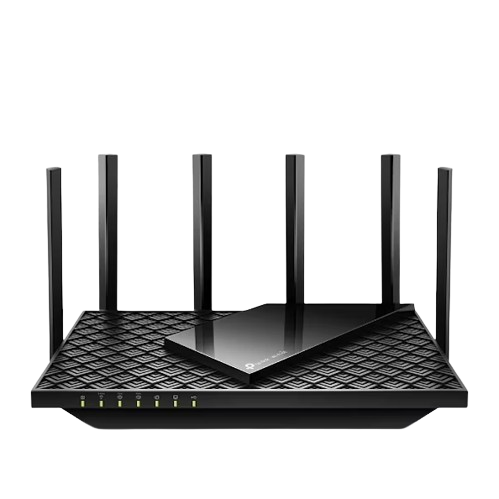
Routers
Your router is like the brain of your home network. You’ll likely have received one from your internet provider as part of your broadband package, but these generally dont offer the best performance, especially when it comes to gaming. Essentially, the router is in control of all the internet traffic between devices on your network, serving as a central hub for your device's connectivity.
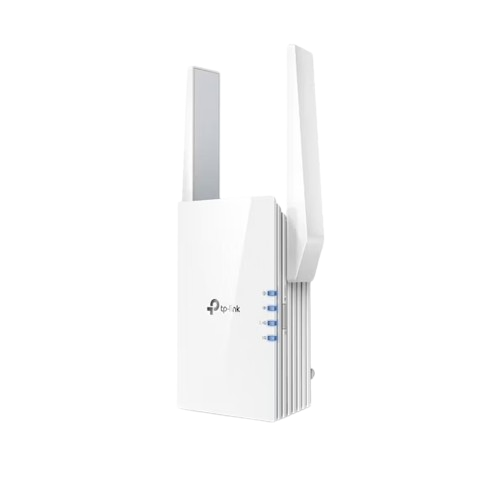
Access Points / Bridges
Access points and bridges extend the range of your Wi-Fi connection. Some bridges even include an ethernet port, allowing you to connect to a LAN port.
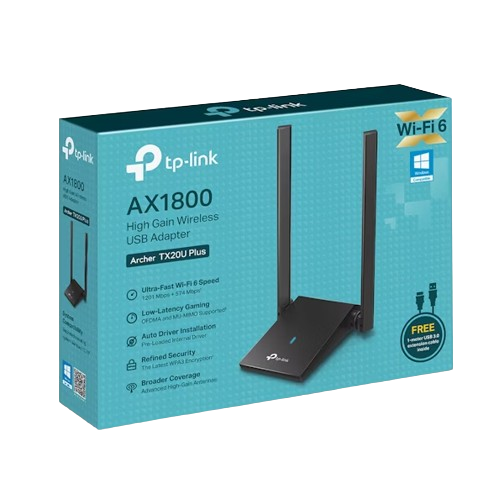
Wireless Network Adaptor
These adapters allow you to connect your gaming PC or laptop to your wireless network with ease. Often more powerful than the included Wi-Fi antenna in your laptop, a wireless network adapter can be a great upgrade for an older machine or for a desktop in a room with no ethernet point.
Want to Read More?
Computer networks aren't as confusing as they might seem. In this article on the Overclockers UK Blog, we’ve covered everything you need to know about networking.
Read MoreWireless Networking FAQ
What is a router and how does it work?
Your router is like the brain of your home network. You’ll likely have been given one by your internet provider. This device handles all the internet traffic, sending data to the devices on your network.
How can I extend my Wi-Fi range?
There are several ways to extend the range of your Wi-Fi network. For example, you could use a mesh Wi-Fi system where several access points are placed throughout your home, allowing your devices to connect seamlessly to the strongest one based on their location. Additionally, a Wi-Fi bridge or powerline ethernet adapter can also be a great option for expanding your network range.
What is the difference between a router and a modem?
A router directs data between networks, while a modem connects a device to the internet. Your internet provider likely provided you with a combination router and modem for convenience. You can connect an aftermarket router to improve your network’s range and speed.