


Networking
214 Results


NET-ASU-03580
(0)
Two Tri-band Wi-Fi routers, Supports 2.4GHz/5GHz/6GHz connections, Equipped with 1 Gigabit and 2.5 Gigabit Ethernet ports, Wi-Fi 7, Includes ASUS AiMesh support, Advanced security and parental control features
£409.99
Incl. VAT

NET-ASU-05821
(0)
ASUS RT-AX52 Pro (AX3000) Dual Band WiFi 6 Extendable Router, Instant Guard, Parental Control Scheduling, Built-in VPN, AiMesh Compatible
£72.95
Incl. VAT

NET-ASU-05825
(0)
- Compact Sized WiFi 7 USB Adapter - Experience super-fast WiFi in a sleek, nano-sized package
- Upgrade Your WiFi to the Latest Standard - Transform your PC to the cutting-edge 802.11be standard with a simple USB connection
- Plug and Play - Ensure seamless installation without extra drivers, delivering reliable, uninterrupted performance perfect for home, office, or on-the-go use, with optimizations over previous generations
- Ideal for Streaming - Support for tri-band, including 6GHz* frequency spectrum, automatically selects the best band for stable connections and superior performance
- Advanced Network Security - Benefit from enhanced network security and robust authentication with WPA3 support
£59.99
Incl. VAT

NET-ASU-06682
(0)
Dual-band Wi-Fi 7 travel router, 4G and 5G mobile tethering, 2.5 Gigabit WAN port, Wi-Fi 7, Combined wireless speeds of up to 3600Mbps, Advanced network security tools
£109.99
Incl. VAT

NET-ASU-06693
(0)
ASUS TUF Gaming BE9400 Tri Band WiFi 7 (802.11be) Extendable Gaming Router, Quad 2.5G ports, 3-step Port Forwarding, Smart Home Master, AiMesh support, and AiProtection for Network Security.
£164.99
Incl. VAT

NET-MSI-06433
(0)
Experience ultra-fast tri-band WiFi 7 performance with the MSI BE6500 USB Adapter — up to 6500 Mbps, external antennas, MLO, OFDMA, MU-MIMO, and WPA3 security.
Incl. VAT

NET-MSI-04776
(0)
Two Dual-band Wi-Fi routers, Supports 2.4GHz and 5GHz connections, One 2.5 Gigabit WAN and two Gigabit LAN ports, Wi-Fi 7, Combined wireless speeds of up to 5000Mbps, Powerful FortiSecu security tools
Incl. VAT

NET-SYN-00911
(0)
Compact NAS device, Drive bays for two 2.5" SSDs or 3.5" HDDs, Equipped with Realtek RTD1619B CPU, Comes with 1GB DDR4 non-ECC RAM, Supports a range of RAID types, Powerful USB and Ethernet connectivity
£199.99
Incl. VAT

NET-MSI-07276
(0)
Pack of two Wi-Fi 7 routers, Supports 2.4GHz/5GHz/6GHz connections, Four 2.5 Gigabit Ethernet ports per unit, Combined wireless speeds of up to 11Gbit/s, Combined coverage of up to 6000 sq ft
Incl. VAT


NET-DLN-09081
(0)
Super-Fast Wi-Fi 6 (802.11ax) Standard: Perfect for uninterrupted 4K streaming, online gaming and video calling. Superior Wi-Fi 6 AX1800 Performance: AX1800 speeds up to 1200 Mbps (5 GHz) and 574 Mbps (2.4 GHz) 1.Dual-Band Capability: 2.4GHz and 5GHz bands for flexible connectivity. Enhanced Security: Latest WPA3™ encryption provides stronger personal data protection. Unprecedented Efficiency: OFDMA and MU-MIMO technologies ensure efficient Wi-Fi connections. Plug & Install: Quick and simple installation via USB port. Backwards Compatible: Works with any Wi-Fi routers and gateways. Windows 11/10 Support: Auto installation driver for hassle-free setup. Supports USB 3.0 Standard: Ensures maximum data transfer speeds. Foldable Antenna: 180° adjustable angle for optimal signal reception and stable connectivity
£32.99
Incl. VAT

NET-DLN-09069
(0)
8-port 2.5GE connectivity, IEEE 802.3af/at/bt PoE (up to 90W/port), 230W power budget, Plug and Play installation, Fanless design, Durable metal housing, IGMP snooping, Auto MDI/MDI-X crossover on all ports, IEEE 802.3x flow control, Quality of Service (QoS) ensures uninterrupted connectivity, IEEE 802.3az reduces power consumption and operating cost, 5 Year Warranty.
£139.99
Incl. VAT

NET-DLN-09078
(0)
The Latest Wi-Fi 7 Technology: Provides ultra high-speed up to 9.3 Gbps1, greater capacity, and higher throughput. Tri-Band Performance: 2.4 GHz, 5 GHz and 6 GHz utilizing ultra-wide 320 MHz channels, Multi-Link Operation (MLO) Technology: Simultaneously transmits data across different bands to minimize congestion, Gigabit Connectivity: A 2.5-Gigabit WAN port and 3 x 2.5-Gigabit LAN ports, External Antennas: Four adjustable external antennas for enhanced flexibility and optimized signal reception, Simple Setup and Management. 2 Year Warranty
£169.99
Incl. VAT

NET-DLN-09067
(0)
Turbo mode for ultra low latency and QoS, x1 10 Gigabit Ethernet port, x5 2.5 Gigabit Ethernet ports, Plug and play, Multicoloured LED, Aluminium housing and silent operation, 5 Year Warranty.
£130.00
Incl. VAT

NET-DLN-09063
(0)
8x Gigabit Ethernet ports (4x PoE+ ports). 60W power budget, 16 Gbps switching fabric capacity, Plug & play simplicity for easy installation, 2-Year Warranty.
£39.95
Incl. VAT

NET-DLN-09068
(0)
x8 2.5Gbps Ethernet ports, 40 Gbps switching capacity , IGMP Snooping , QoS & Flow Control. Durable metal housing, Energy efficient, fanless, Plug & play installation, Ideal for Wi-Fi 6, 5 Year Warranty
£79.99
Incl. VAT

NET-DLN-09072
(0)
5G Connectivity: Delivers Internet access anywhere with 5G NR speeds up to 7.01 Gbps for fast downloads, lower latency, and reduced congestion, AX3000 Wi-Fi 6 Technology: Provides dual-band speeds up to 3000 Mbps, ensuring optimal performance for multiple devices, 2.4-inch Touch Display, Versatile Connectivity Options: Supports USB Type-C for data and power, plus a dual slot for Nano SIM and microSD cards, Fast Charging: Equipped with USB-C Power Delivery and a 5260 mAh battery for up to 7 hours of safe and reliable use. Secure Network: Supports the latest Wi-Fi security and cybersecurity standards to protect user privacy. Portable Design: Compact and lightweight for easy mobility at home, work, or on the go. 2 Year Warranty.
£249.95
Incl. VAT

£13.49
Incl. VAT

NW-121-TP
(2)
TP-LINK’s Archer T2U comes with the next generation Wi-Fi standard – 802.11ac, 3 times faster than wireless N speeds.
£16.00
Incl. VAT


NW-20V-TP
(0)
Up to 1300Mbps, Up to 300m Range, Triple LAN Ports, Passthrough design / Keep access to your power sockets
£94.99
Incl. VAT

NW-21G-TP
(0)
Up to 1200 Mbps Wi-Fi speeds, 867 Mbps on 5 GHz band and 300 Mbps on 2.4 GHz band, 802.11ac Dual Band, MIMO, Beamforming, Dual Antennas
£25.00
Incl. VAT

NET-ASU-06692
(0)
Dual-band WiFi 7 (802.11be) AiMesh Extendable Router, up to 3600 Mbps, Coverage up to 15,000 sq. ft.*, Dual 2.5G Ports, PoE Powered, IP65 Weather Resistance, Wall & Pole Mounts, up to 3 SSIDs for IoT Devices, Parental Controls & VPNs, Advanced Network Security
£149.99
Incl. VAT

NET-ASU-06696
(0)
QG-U1080, 8-Port 2.5G and 2-Port 10G SFP+ Unmanaged Switch, Support 4 Intelligent Modes, Home Network Hub, Office Ethernet Splitter, Plug and Play, Easy Setup, Desktop, Silent Operation
£94.99
Incl. VAT

NET-MSI-04779
(0)
The AXE5400 WiFi USB Adapter supports WiFi 6E, Tri-Band antennas, and USB 3.2. Offering fast speeds across 2.4GHz, 5GHz, and 6GHz.
Incl. VAT

Incl. VAT

Incl. VAT


£110.99
Incl. VAT

NET-TPL-02071
(0)
WiFi 7 tri-band router, Up to 9214Mbps connectivity, Multi-Link functionality, EasyMesh design, Integrated HomeShield security
Incl. VAT

NW-046-TP
(0)
TP-Link network switch upgrade module, 2 x 10 gigabit SFP+ ports, Supports a wide range of network protocols, Compatible with a variety of SFP+ transceivers and cables, Includes hot-plug technology, Dual status indicator LEDs
£70.00
Incl. VAT

NW-12U-AS
(0)
USB-N10 Nano with nano size design, 150 Mbps two-way link provides you a free and consistent wireless connection.
£9.95
Incl. VAT

NW-174-TP
(0)
The TL-SG1005D Gigabit Desktop Switch provides you an easy way to upgrade your network to 1000Mbps network
£13.00
Incl. VAT

NW-11X-AS
(0)
Two Dual-band Wi-Fi routers, Supports 2.4GHz and 5GHz connections, Equipped with two Gigabit Ethernet ports, Wi-Fi 6 technology, Includes ASUS AiMesh support, Advanced security and parental control features
£199.99
Incl. VAT

NW-12A-AS
(0)
Dual-band Wi-Fi router, Supports 2.4GHz and 5GHz connections, Equipped with a Gigabit WAN and four Gigabit LAN ports, Compatible with Wi-Fi 6 standard, Supports 3G and 4G LTE dongles, Includes AiProtection internet protection
£59.99
Incl. VAT
Networking
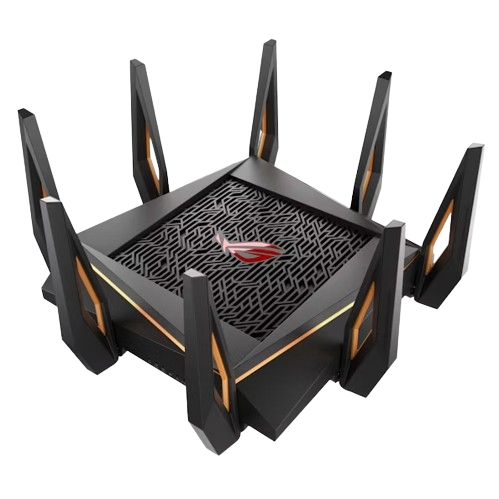
Overclockers UK stocks a huge range of networking hardware and accessories, including routers, Wi-Fi adapters, ethernet cables, NAS servers, and more! Whether it’s time to upgrade to the latest Wi-Fi standard, build a NAS server for your home and small office storage, or you need an extra-long ethernet cable to reach your gaming PC, this selection of networking gear is perfect.
Common Network Devices:
Routers
Your router is like the brain of your home network. You’ll likely have received one from your internet provider as part of your broadband package, but these are generally basic, and need to be replaced for a model designed for gaming. Essentially, the router is in control of all the internet traffic between devices on your network, serving as a central hub for every device to connect to.
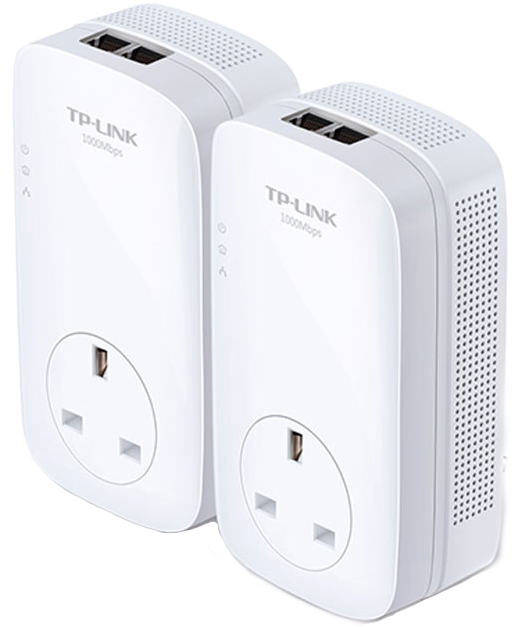
Powerline / Home Plugs
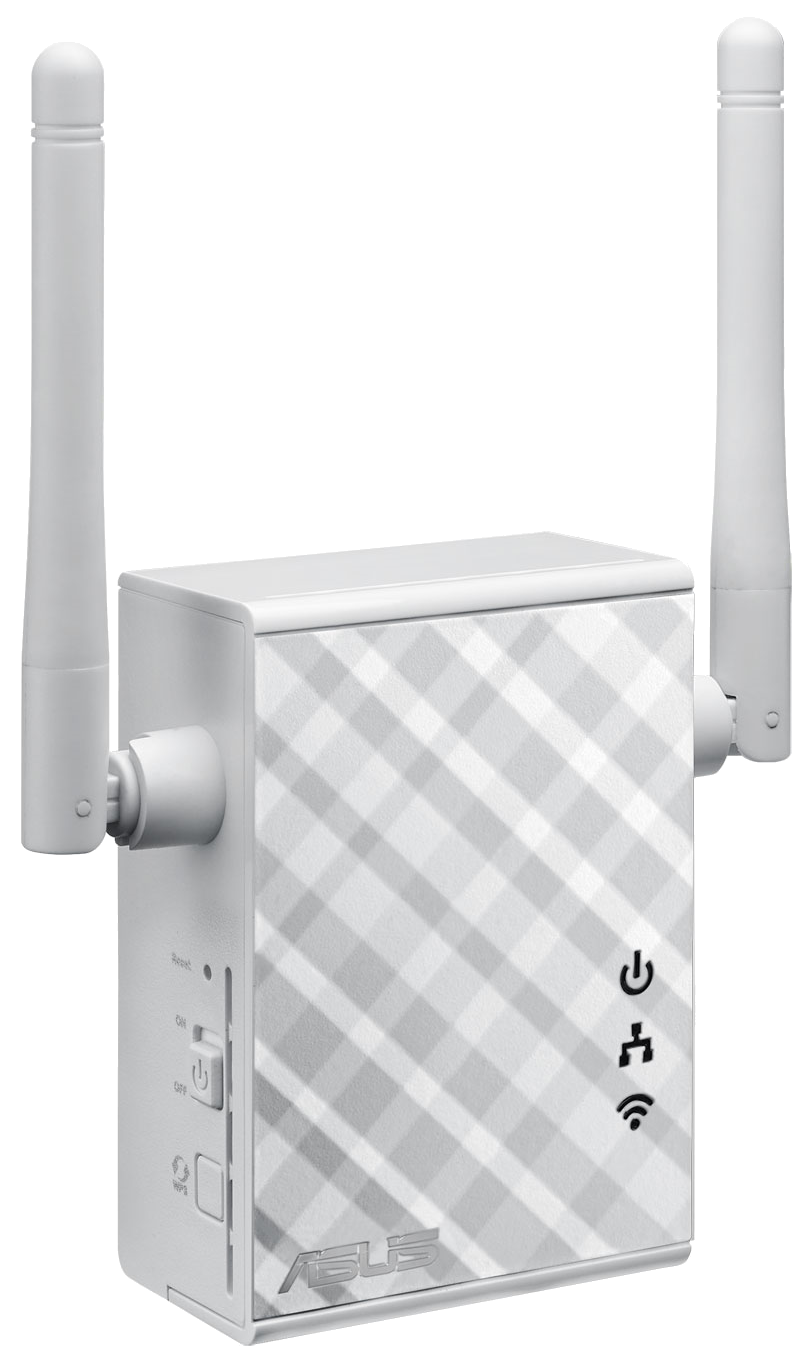
Access points and bridges extend the range of your Wi-Fi connection. Some bridges even include an ethernet port, allowing you to connect directly to your PC.
Access Points / Bridges
Access points and bridges extend the range of your Wi-Fi connection. Some bridges even include an ethernet port, allowing you to connect directly to your PC.
Wireless Network Adaptor / Wired Network Adaptor
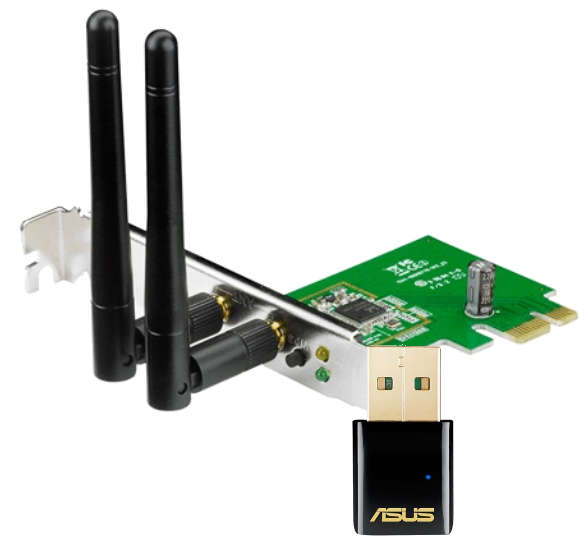
Wireless or wired network adapters allow you to connect your gaming PC or laptop to your network with ease. Often more powerful than the included Wi-Fi antenna in your laptop, a wireless network adapter can be a great upgrade for an older machine or for a desktop in a room with no ethernet point.
The adaptors come in two forms – internal and external. Internal models connect via PCIe and the externals connect via USB.
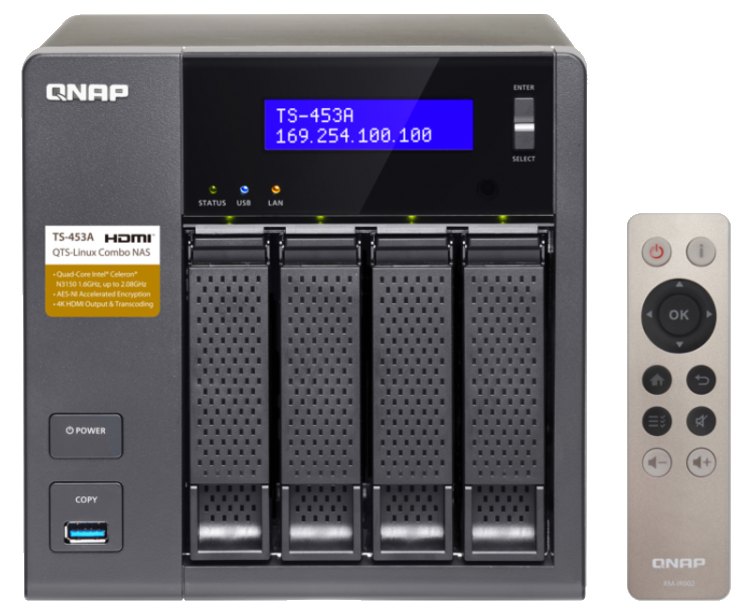
NAS
Network-attached storage devices are exactly what they sound like – storage that is attached to the network. NAS units allow many devices to access the same data or save files to a centralised storage location.

Want to Read More?
Computer networks aren't as confusing as they might seem. In this article on the Overclockers UK Blog, we’ve covered everything you need to know about networking.
Read MoreNetworking FAQ
What is a router and how does it work?
Routers are the brain of your home network. They control all the internet traffic, sending data to the devices on your network. You’ll likely have received one from your internet provider. However, these can often be slow and ineffective.
How can I extend my Wi-Fi range?
There are several ways to extend the range of your Wi-Fi network. For example, you could use a Mesh Wi-Fi system where several access points are placed throughout your home, allowing your devices to connect seamlessly to the strongest one based on their location. Additionally, a Wi-Fi bridge or powerline ethernet adapter can also be a great option for expanding your network range.
What is the difference between a router and a modem?
A router directs data between networks, while a modem connects a device to the internet. Your internet provider likely provided you with a combination router and modem for convenience. You can connect an aftermarket router to improve your network’s range and speed.


